Retroid Pocket Nova on ROCKNIX
I already own a Steam Deck, so the Retroid Pocket Nova was never meant to replace anything. What I wanted was a small, dedicated retro machine that I could hand to someone else without worrying about desktop clutter, and one that could give older games a proper 4:3 frame instead of the stretched widescreen look I usually end up with on the Deck. The Nova also happens to run on an ARM chip, the Snapdragon 8 Gen 2 (SM8550), and I was curious whether that architecture could handle more than emulation, including Windows games through a translation layer. This post is a rundown of what I did with it: shader settings, getting ROCKNIX running well, PortMaster (which turned into the biggest rabbit hole by far), Pico-8 in 4:3, and a first look at Steam on ARM.
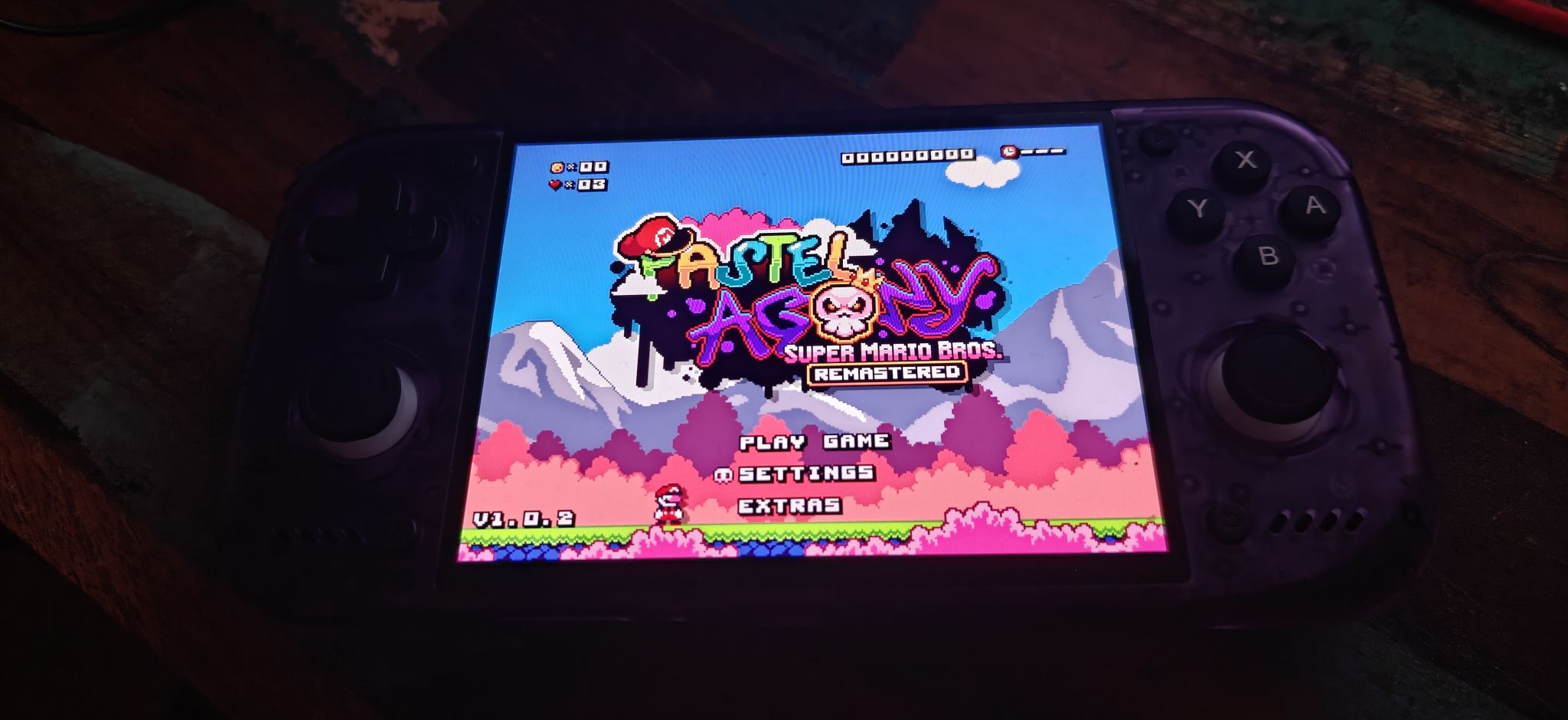
Before any of the software side there is a hardware detail worth mentioning: Retroid runs a DIY option on the Nova that lets you order a custom shell and button color instead of taking whatever the standard configurations ship with. Being a sucker for the classic atomic purple look, I went with the transparent purple shell and black buttons, the same combination I already run on most of my other retro devices.
Why ROCKNIX Instead of Stock Android
I am not a fan of fiddling around with Android. Between launchers, scoped storage permissions, and every emulator front end wanting its own idea of where ROMs should live, it stops feeling like a handheld and starts feeling like a phone I have to administer. So the moment I heard ROCKNIX had support for the Nova's chipset, I was happy even though it is clearly still in an early state for this particular device.
The rough edges show up immediately. On first boot the controller identified itself as a PlayStation DualSense Edge, back paddles and all, instead of anything resembling the Nova's actual button layout. That is not really a bug: it is ROCKNIX's InputPlumber service intentionally emulating a DualSense Edge so that paddle-aware games get proper input, but it does mean the very first thing you see is a slightly wrong set of button icons. Once you know that is what is happening it is easy to look past, and for a chip this new to ROCKNIX, the fact that the rest of the system already works this well says a lot about the project.
Getting ROCKNIX Onto the Device
The path that worked for me was to install ROCKNIX onto a microSD card first and boot from that. Booting from SD is the safer way to try a young port like this one, since nothing about the internal Android install is touched and a bad flash just means reformatting a card. Once I confirmed the SD boot was stable, I enabled SSH from the network settings menu and used that shell to move the install over to internal storage, which is both faster and one less card to keep track of. If you are trying this yourself, do the SD boot first, make sure your controller, WiFi, and audio all behave the way you expect, and only then commit to internal storage.
Shader Settings
Shaders are the part I spend an unreasonable amount of time on with any new emulation device, and this section ended up growing well past the single crt-easymode setup I started with, mostly because black frame insertion turned into its own multi day detour.
All of the shaders below come from the libretro/slang-shaders repository, which ships with RetroArch and therefore with ROCKNIX. I am linking the actual files so this is reproducible rather than just a list of settings names.
General systems: newpixie-crt, flattened, plus black frame insertion
I started with a single pass crt-easymode.slang setup and it was perfectly fine, but I kept running across recommendations for newpixie-crt and wanted to actually try it. The stock version chains four passes: phosphor persistence through an accumulate pass, two blur passes for the glow and color bleed, then a main pass that adds animated rolling scanlines, a vignette, and a lens curvature on top. Reading the actual shader math rather than trusting the parameter label, that curvature value also warps the coordinate used to sample the game image itself, so I patched the shader to keep sampling a plain, unwarped coordinate while leaving the original curved one in place for the vignette and frame mask.
The curvature fix itself came out of a discussion on the libretro forums about editing the newpixie CRT shader, which is where I first saw the coordinate swap described.
While I had the file open, I also baked in a subtle rounded corner effect using the same corner rounding math several standalone shaders in the same repository use, folded directly into the existing pass rather than added as a new one. That distinction mattered on this hardware specifically. This chain is already close to some kind of GPU or driver limit on texture bindings: adding the exact same corner effect as its own separate pass produced an outright shader compile failure on screen. A few extra lines of math inside a pass that already exists sidesteps that limit completely. The standalone version of that same corner effect, used briefly earlier with a lighter single pass shader before newpixie replaced it, is here: rounded-corners.slang.
shader3 = "newpixie-crt-flat.slang"
scale_type3 = "viewport"
curvature = 0.5
cornersize = 0.02
cornersmooth = 1000.0
The full file, both the curvature fix and the baked in corner rounding together, is here: newpixie-crt-flat.slang. That is one pass of the full seven pass chain, the accumulate and blur passes above it, then black frame insertion below.
Black frame insertion deserves its own explanation. RetroArch has a native setting for it, and it works, but only at exactly two times the content refresh rate. The Nova's panel runs at 120Hz against 60fps content, so there is no middle ground: it is either off or a full black frame flashed every other frame. That was too obvious for my taste. RetroArch also supports a newer, shader driven approach where the frame gets redrawn multiple times per screen refresh and a shader decides per redraw what to actually show, which opens up softer, motion aware techniques instead of a blanket flash. I settled on a shader called 120hz smart BFI, three passes (stock, calculations, then the actual flicker pass), appended right after the newpixie pass above. It only flickers pixels that are actually moving between frames, so static menus and backgrounds do not strobe at all. Getting there took a few wrong turns, including hitting that same compile limit when the corner effect was tried as its own eighth pass. Testing over SSH was mostly useless too, since the debug screenshot tool does not capture real in game rendering, so playing an actual game on the device was the only reliable check.
The final version of this, newpixie flattened as above, black frame insertion, and the baked in corner rounding, went onto NES, SNES, Genesis and Master System, PS1, Saturn, Dreamcast, and N64.
I still leave this off Game Boy, Game Boy Color, Game Boy Advance, and the DS, and off PSP, GameCube, and PS2, for mostly the same reason as before: those are LCD handhelds or already high resolution systems where a CRT effect does not represent anything that ever actually existed on the real hardware. Game Boy, Game Boy Color, and Game Boy Advance still got their own separate treatment, described below, and PSP got a display scaling fix rather than a shader, described further down as well.
Game Boy Advance, through mGBA
Given a GBA screen is a real LCD panel and never a CRT, this one gets a genuinely different effect rather than a toned down CRT one: vba-color for the same color correction curve the classic VBA emulator used, into lcd1x, which recreates the actual pixel grid structure of an LCD screen instead of faking scanlines.
shaders = "2"
shader0 = "vba-color.slang"
filter_linear0 = "false"
scale_type0 = "source"
scale0 = "1.0"
darken_screen = 0.400000

shader1 = "lcd1x-mix.slang"
filter_linear1 = "false"
scale_type1 = "viewport"

BRIGHTEN_SCANLINES = 32.000000
BRIGHTEN_LCD = 12.000000
GRID_STRENGTH = 0.750000
The lcd1x-mix name is not a stock file: I ended up writing a small modification of the original lcd1x.slang. The stock shader brightens the scanline and grid darkening through two parameters. Reading the actual formula rather than assuming from the label, higher values actually mean a less visible grid, the opposite of what the name suggests at a glance. Even pushed all the way to the top of their range there is still a visible minimum darkening baked into the formula, so once that ceiling stopped being subtle enough I added one more parameter, GRID_STRENGTH, that blends the gridded result back toward the plain image at any strength from zero to one. 0.75 landed well here, once BRIGHTEN_SCANLINES and BRIGHTEN_LCD were already maxed out. The full file is here: lcd1x-mix.slang, and it is what both this section and the Game Boy and Game Boy Color one below actually use, just with different strength values.
Game Boy and Game Boy Color, through Gambatte
The paper-like look actually lives here, not on mGBA. I had this misattributed for a while. Gambatte handles both GB and GBC, and now gets a three-pass chain: sharp-shimmerless for clean pixel-perfect upscaling, into image-adjustment for the warm, slightly desaturated white-paper tone, then the same custom lcd1x-mix from the GBA section above for the LCD grid texture.
shaders = "3"
shader0 = "sharp-shimmerless.slang"
filter_linear0 = "true"
shader1 = "image-adjustment.slang"
filter_linear1 = "true"

ia_luminance = 0.750000
ia_bright_boost = -0.150000
ia_saturation = 0.900000
ia_R = 1.025000
ia_B = 0.950000

shader2 = "lcd1x-mix.slang"
filter_linear2 = "false"
scale_type2 = "viewport"

BRIGHTEN_SCANLINES = 32.000000
BRIGHTEN_LCD = 12.000000
GRID_STRENGTH = 0.500000
The paper tone values are unchanged from before, same values as I once had written down for mGBA, since I originally set both up together and mixed up which core actually kept the config. Two notes if you copy these: 1.05 / 0.90 for ia_R / ia_B is too warm, 1.025 / 0.950 is the sweet spot. And ia_bright_boost being negative is intentional: it pulls the brightness back down slightly after the saturation boost, which is what gives it that paper-white rather than washed-out look. The grid strength ended up lower here than on GBA, 0.5 rather than 0.75. At the exact same brighten values the grid read noticeably harsher against this warmer, darker paper tone than against GBA's brighter base image, and GB and GBC's native resolution is lower than GBA's to begin with, so each grid cell is physically larger on the same screen.
Actual bezels
If you want a real graphical bezel around the image rather than just the plain color-adjustment chains above, the slang-shaders repository also ships full border packs, including a Super Game Boy border set with sample frames pulled straight from cartridge art (there is a Pokemon Red / Blue / Yellow set in there, which felt fitting given how much of my PortMaster time went to Pokemon fan games below), and a Game Boy Player border modeled on the GameCube accessory, which can also be combined with crt-easymode in a single preset. I have not committed to one of these full time. The plain shader chains above are still my daily setup, but they are worth a look if you want the small display to look like it is sitting inside an actual shell.
One ROCKNIX-specific gotcha worth knowing: shader presets need ROCKNIX's own runtime paths, not whatever path a preset shipped with from another platform. ROCKNIX rebuilds a shader tree fresh on every boot from a combination of your own files and the bundled packs, so once you point a preset at the right spot it stays stable across reboots, but a preset copied straight from, say, a Steam Deck EmuDeck install will not resolve correctly without editing the path first.
PortMaster: Where Most of the Time Actually Went
This is the section that grew far beyond what I originally planned, because PortMaster on ROCKNIX turned out to be a genuinely deep rabbit hole. PortMaster is the tool ROCKNIX (and most of the Batocera-family systems) use to install native Linux ports of PC and homebrew games, everything from simple SDL games to full engine reimplementations, packaged as install scripts that live right alongside your ROMs.
The bulk of what I did was getting a stack of Pokemon fan games running well. Most of these ship as Pokemon Essentials projects running on a community-maintained engine called mkxp-z, which reimplements RPG Maker's runtime for Linux. The scripts these games carry were mostly written for Windows and an old version of Ruby a decade ago, so a lot of them break in small specific ways under a modern Ruby interpreter: a stray Windows-only font installer that always reports fonts missing on Linux, byte-handling code that assumes an ancient string-indexing behavior, even a syntax pattern (an unreachable break right after a return) that older Ruby quietly accepted and newer Ruby now rejects outright. None of these are hard bugs once you find them: there are just a lot of them, spread across a dozen different games that all copy-pasted the same community scripts.
Two examples, since these are worth having on hand if you run into the same games. First, the fullscreen fix that most of these ports needed in their mkxp.json, since the default is a small windowed canvas with letterboxing on every side:
{
  "fixedAspectRatio": false,
  "fullscreen": true
}
Second, and this was the best find of the whole process: Pokemon Essentials ships two completely different ways of entering your character's name. One expects a proper on-screen keyboard from the operating system; the other is a self-contained screen that draws its own letter grid and only needs the D-pad and two buttons, exactly like naming a Pokemon on the original Game Boy games. The on-screen-keyboard path is the one that is broken on a Wayland-based handheld like this, and chasing it down through virtual keyboard protocols turned into its own multi-hour side quest. But the classic grid was sitting right there in the same script the whole time, fully working, just switched off by default in the Settings script:
# was: USEKEYBOARDTEXTENTRY = true
USEKEYBOARDTEXTENTRY = false
Flipping that one line fixed name entry across every affected game at once, no keyboard, no touch input, no extra dependencies.
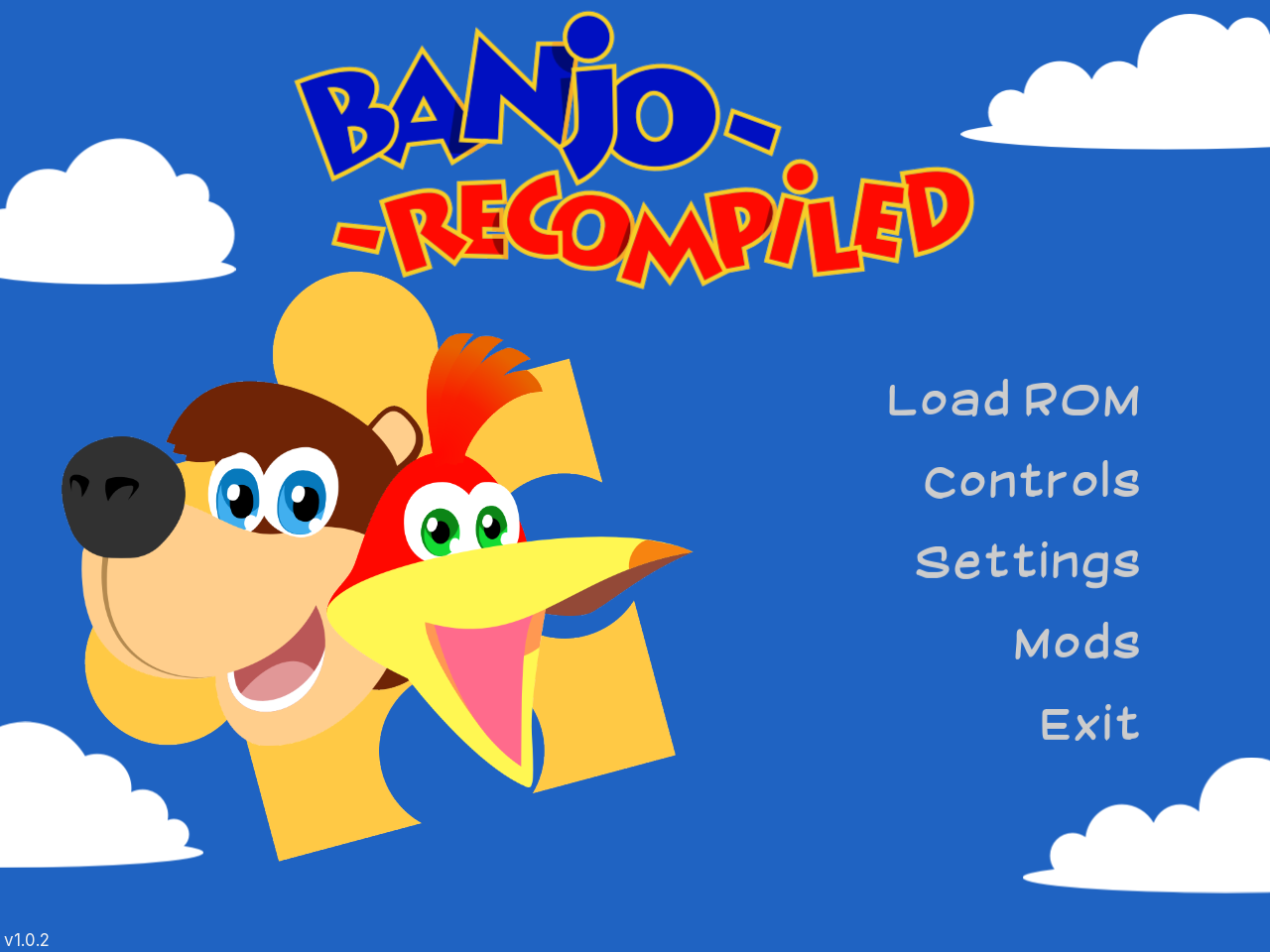
The more exciting part came next: native ARM64 game ports that need no emulation at all. Projects using static recompilation, where an N64 or GameCube game's original machine code is translated once into real native code rather than interpreted at runtime, are becoming a small but active homebrew scene, and several of them now ship prebuilt ARM64 Linux binaries directly. I got a Banjo-Kazooie recompilation running completely natively, no translation layer in sight, using the Vulkan driver already on the device:
A Twilight Princess recompilation runs the same way, and I also got a Super Smash Bros. Melee PC port working, which does need a light compatibility layer (box64) since that one only ships x86-64 builds. It still renders through the same real Vulkan driver, once a couple of missing system libraries are pointed at a compatibility runtime already present on the device:
export BOX64_LD_LIBRARY_PATH="./box64-libs"
export BOX64_EMULATED_LIBS="libsqlite3.so.0"
box64 ./melee "/path/to/Super Smash Bros. Melee.rvz"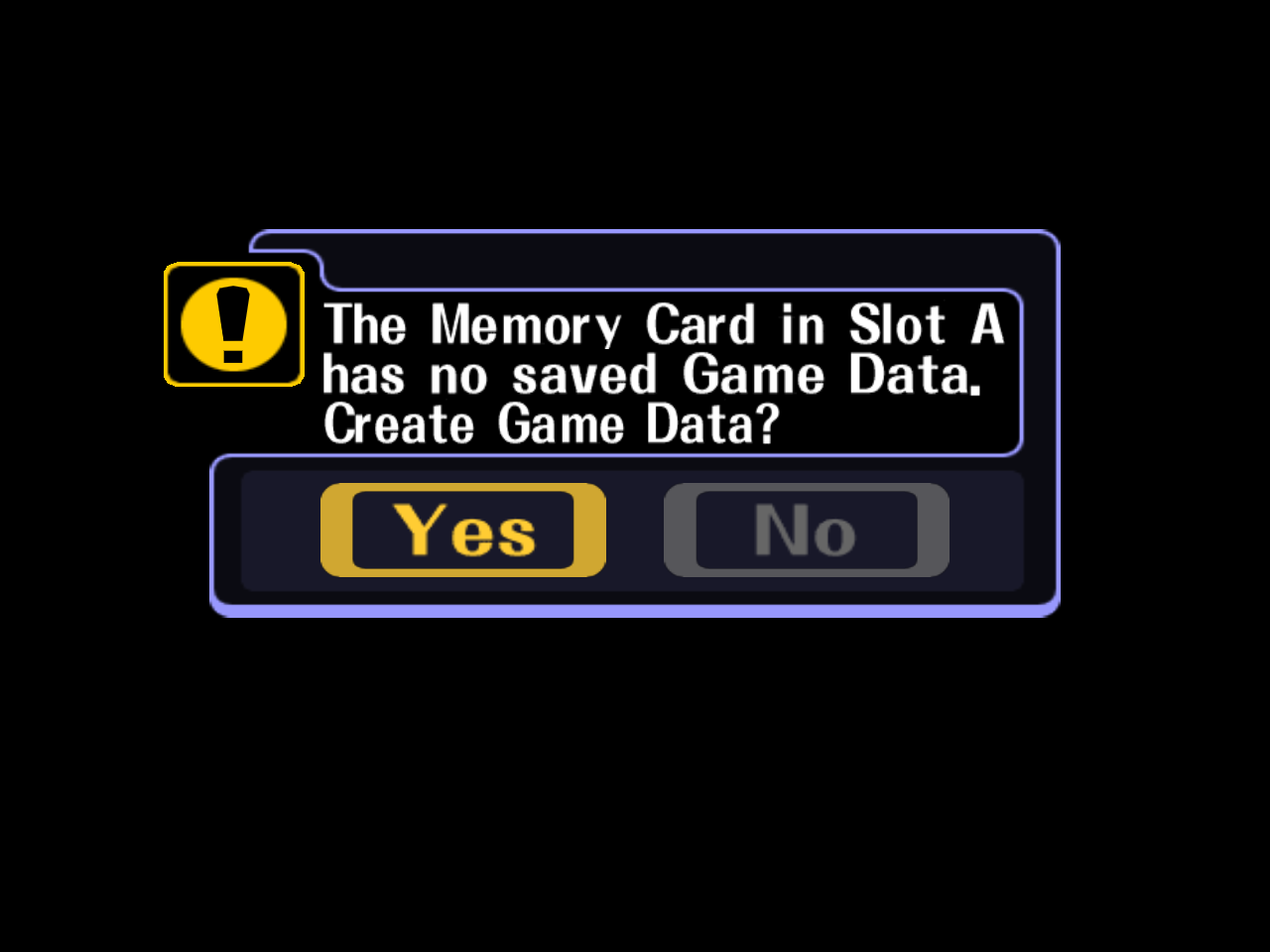
Thanks to just how good modern recompilations have gotten, we are living in a bit of a golden age for retro games right now: there is already a huge amount of native Linux gaming support on ARM, and it keeps growing. This is basically the role I wanted the Nova for in the first place: a Steam Deck addition mainly for retro games, emulation, and the occasional fan game. And with the 4:3 aspect ratio, it does that job perfectly.
PSP and Pico-8: Fixing the Aspect Ratio
These two needed the opposite fix from each other. The PSP screen is natively about 16:9, not 4:3, so left alone it renders letterboxed, black bars top and bottom, to preserve that shape. I wanted the opposite: filling the whole 4:3 panel instead, accepting the mild horizontal squish that comes with it. That lives in the [Graphics] section of PPSSPP's own ppsspp.ini. It needs two keys together, since changing SmallDisplayZoomType alone had no visible effect:
SmallDisplayZoomType = 0
DisplayStretch = True
Pico-8 is built around a fixed, square-ish 128 by 128 canvas, so there I wanted the aspect ratio preserved rather than stretched. Once installed through PortMaster, setting the display to 4:3 instead of a full stretch keeps its pixel grid clean and square the way the fantasy console was designed to look, exactly the kind of small win the Nova was supposed to deliver.
Steam and Windows Games on ARM
This is the part I am still poking at rather than something I have fully settled. The idea of running actual Windows games on an ARM chip through Steam, on a handheld this size, is the kind of thing that would have sounded absurd a few years ago, and the fact that it is even worth attempting now says something about how far compatibility layers have come. I am approaching this the same way I approach the 4:3 side of things: picking games that were built for or look right in a 4:3 or boxier aspect ratio rather than assuming every modern widescreen title will behave.
For actually finding games worth trying, the Does it 4:3 curator on Steam has been the most useful starting point. It is exactly what it sounds like, a running list of games that support or look right in a 4:3 aspect ratio, which pairs nicely with a small handheld screen and with the general philosophy behind the rest of this setup.
Closing Thoughts
None of this replaces the Steam Deck, and it was never supposed to. What the Nova gives me is a dedicated, boxy little retro machine I do not mind handing to a kid or leaving on a shelf, running an operating system I actually enjoy configuring instead of fighting. ROCKNIX support for this chipset is young: the wrong controller identity on first boot is proof of that. But the pace of what already works, from properly tuned shaders to genuinely native ARM64 game ports through PortMaster, made the early rough edges easy to forgive. If you already have a Steam Deck and are wondering whether a small ARM handheld is worth adding next to it, the answer for me was yes, mostly because of how much of this stack simply is not stretched-widescreen software at all.