Switching from F-Droid to Obtainium
For years, my Android app strategy was simple: Google Play for mainstream apps, F-Droid for open source alternatives. When going Google-free, Aurora Store filled the Play Store gap. But I've recently switched to Obtainium and wanted to share why.
The F-Droid Problem
F-Droid sounds perfect in theory. A curated repository of open source apps, built from source, free from trackers. What's not to love?
Quite a bit, actually.
Signature Mismatch Hell
F-Droid rebuilds every app from source and signs it with their own keys. This means the APK signature differs from the developer's original release. Sounds like a security feature, right? In practice, it causes headaches.
If you ever want to switch from F-Droid to the developer's direct release (or vice versa), you have to uninstall and reinstall. All your app data? Gone. This isn't a minor annoyance when you're dealing with apps that store local data or have complex configurations.
Update Delays
Because F-Droid rebuilds everything, updates can be delayed by days or even weeks. When there's a security fix in an app you rely on, waiting for F-Droid's build pipeline isn't ideal. The developers push a fix, but you're stuck on the vulnerable version until F-Droid gets around to building it.
Editorial Decisions
This one frustrated me the most. There have been cases where F-Droid maintainers made questionable editorial decisions about what belongs in the repository. At one point, religious apps were being flagged as inappropriate content. Whether you're religious or not, that's an odd stance for what should be a neutral software repository.
Enter Obtainium
Obtainium takes a different approach. Instead of being a repository, it's an update manager that pulls apps directly from their sources: GitHub releases, GitLab, F-Droid, or wherever the developer publishes.
The Initial Hassle
I won't lie, setting up Obtainium takes effort. For each app, you need to:
- Find the source URL (usually the GitHub/GitLab releases page)
- Add it to Obtainium
- Configure any filters if the project has multiple release variants
For your first ten apps, this feels tedious compared to just searching F-Droid. But once you're through the initial setup, the benefits start showing.
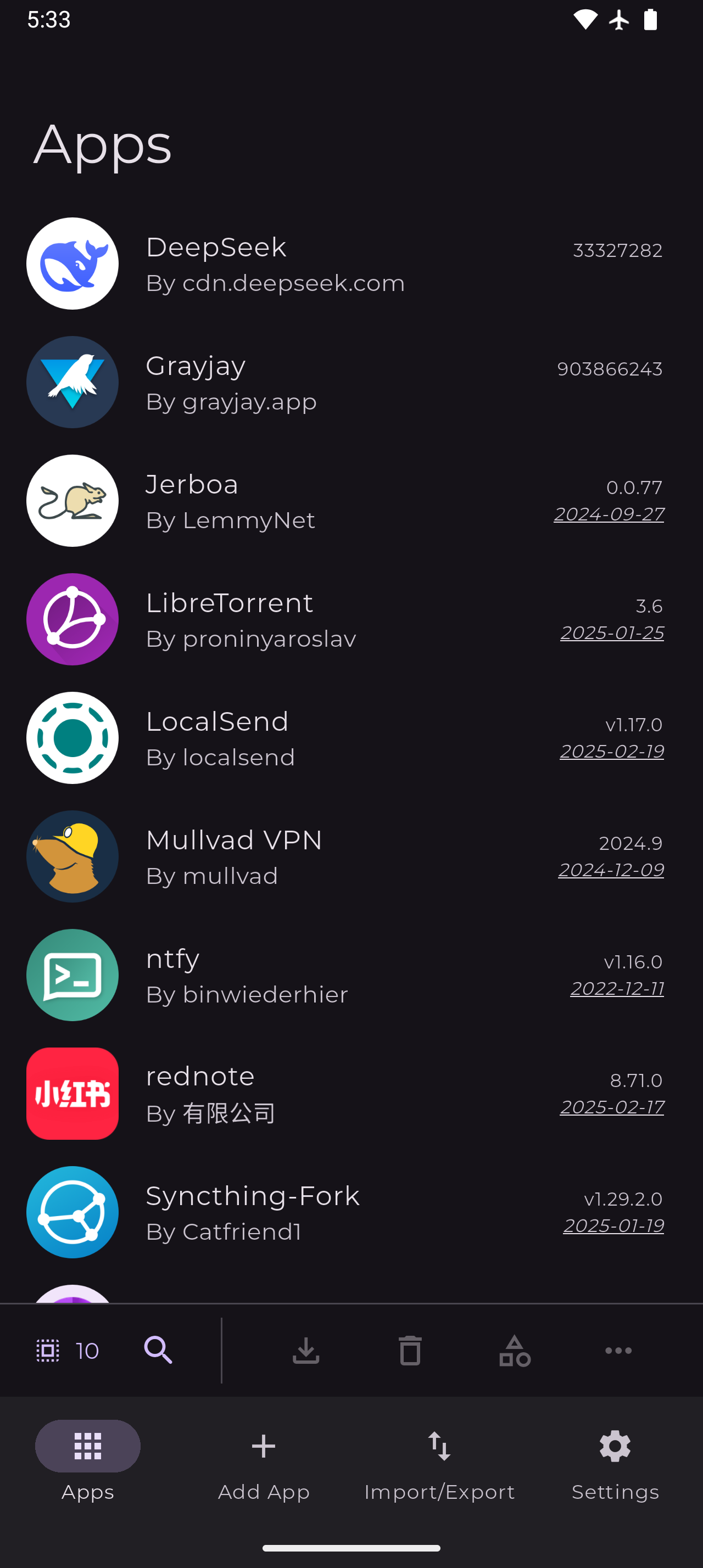
Fortunately, there's a community-maintained app configurations site that makes adding apps much easier. You can browse pre-configured apps and add them with a single click. Hopefully in the future there will be some sort of app store integration again, not for the sake of centralization, but so that if a source URL changes, the fix would be instantly available as an update.
Direct Updates
Apps update as soon as the developer releases them. No waiting for a third party to rebuild. No signature mismatches. The APK you get is the exact same one the developer published.
Source Flexibility
Obtainium supports multiple sources:
- GitHub Releases
- GitLab Releases
- F-Droid (yes, you can still pull from there if you want)
- Direct APK URLs
- And more
This means you can grab apps that aren't in F-Droid at all. That niche tool with only 50 GitHub stars? You can track it.
Export and Backup
Your app list can be exported and imported. Setting up a new phone becomes: install Obtainium, import your config, let it download everything. Much cleaner than manually hunting through F-Droid or remembering what you had installed.
The Remaining Concerns
Obtainium isn't perfect.
Repository Migration
If a developer moves their repository from GitHub to somewhere else, you'll need to update the source URL manually. I'm not aware of any automatic notification for this. Then again, this is a problem with most software distribution, it's just more visible here.
Trust Model
With F-Droid, you trust F-Droid's build process. With Obtainium, you trust each individual developer's release process. For popular projects with proper release signing, this is arguably better. For random projects? You're trusting that their GitHub account hasn't been compromised.
No Curation
F-Droid's curation has downsides (see the editorial issues above), but it does mean someone has at least glanced at what's in the repository. With Obtainium, you're on your own for vetting apps.
My Current Setup
I'm now running Obtainium as my primary source for open source apps. The apps I use regularly all have GitHub releases, so the setup was straightforward once I invested the initial time.
I'm not fully Google-free yet. Some apps I've purchased over the years (like Genius Scan Pro) or apps that depend on Google Play Services still force me to keep the Play Store around. The first thing I do when getting a new smartphone is debloating it via adb, removing as much Google cruft as possible while keeping the bare minimum functional.
Once GrapheneOS becomes available on OEM devices, I'll probably make the full switch and use Aurora Store for anything that still requires Play Store access. There's been promising news about a major OEM partnership, so hopefully this year will be the year.
The comfort of getting updates directly, without signature issues or arbitrary delays, has been worth the setup effort. If you're already questioning your app sources, Obtainium is worth trying.